
Why Every WooCommerce Homepage Needs a Smarter Product Carousel — Introducing BTW Carousel for WooCommerce
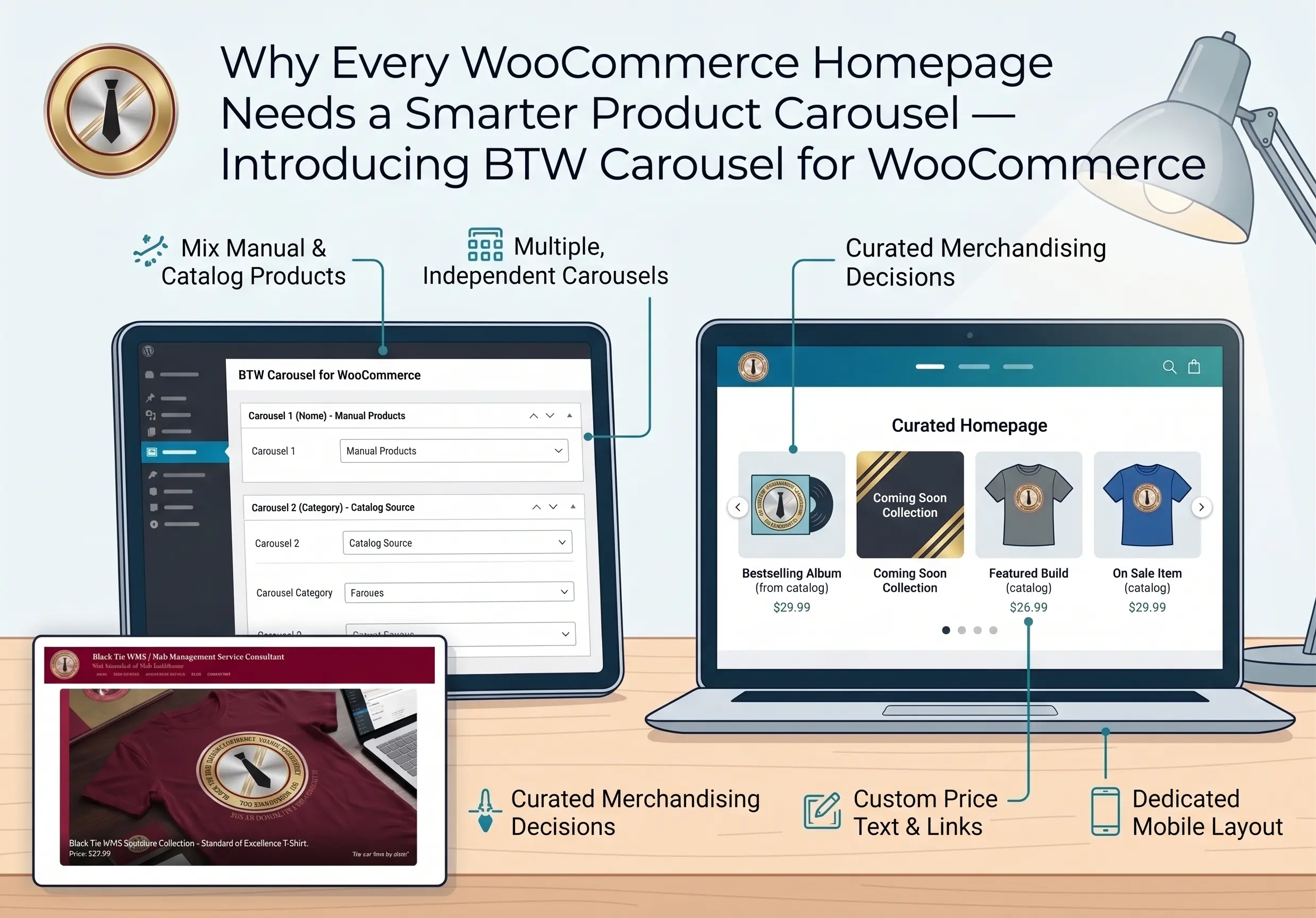
“A carousel plugin should show your best work — not force you to choose between your catalog and your judgment.”
In this post, I will explain why generic sliders fall short for a storefront, what a purpose-built product carousel actually does, and how one WooCommerce store uses it to blend real inventory with real merchandising judgment.
No agency pitch. No fluff. Just what works — and why.
Why Generic Sliders Are Not Enough for a Storefront
Most WordPress carousel solutions fall into one of two camps — and neither one is really a WooCommerce product carousel plugin in the way a store owner needs.
The first is the page-builder widget — Elementor, Divi, whatever comes bundled with your theme. These load their entire builder’s JavaScript and CSS on every page that uses them, whether you need the other forty widgets in that library or not. That is real, measurable page weight for a single carousel.
The second is the “connect to your product feed and hope” approach — plugins that pull from your catalog but give you almost no say in the mix. Want to show three real bestsellers alongside a banner for a collection that launches next month? Most plugins simply cannot do that. It is catalog products, full stop — nothing else belongs in the row.
Neither approach solves the actual problem a store owner has: curating a homepage that reflects real inventory and real judgment about what to feature next.
What a Purpose-Built WooCommerce Product Carousel Plugin Does
BTW Carousel for WooCommerce was built around one idea: a homepage carousel should work exactly the way a store owner already thinks about their front window.
- Multiple independent carousels — build as many as you need for a truly custom WooCommerce carousel plugin setup, each with its own settings and its own shortcode, so a homepage carousel and a category-page carousel never fight over the same configuration.
- Real catalog sourcing — pull from a specific category or tag, Featured Products, or On Sale Products, sorted and capped the way you choose.
- Manual Products — add your own product tiles alongside the live query, or instead of one entirely. Each manual entry gets its own image, name, destination link, and optional price text — perfect for a “coming soon” collection or a featured build that is not in the catalog yet, without waiting on a real WooCommerce product to exist first.
- A genuinely dedicated mobile layout — not desktop CSS squeezed into a smaller viewport, but its own swipe-and-scroll filmstrip built for touch.
- Configurable display, not fixed defaults — show or hide the product name and price, add a short message beside the price, add a caption above the thumbnail strip. The carousel adapts to the message you want to send, not the other way around.
None of this requires a page builder. None of it loads a framework you are not using elsewhere on the site.
Real World Example: How CraftedMemories.us Uses It
CraftedMemories.us, a premium handcrafted layflat photo album business, needed its homepage carousel to do two things at once: show real bestselling albums pulled live from the catalog, and highlight an upcoming collection that was not a purchasable product yet.
With BTW Carousel for WooCommerce — a WooCommerce product carousel plugin built around exactly this problem — that homepage carousel pulls the newest products from a chosen category, then appends a manually-added “Upcoming Album” tile with its own price text and destination link, all rendered consistently on desktop and mobile.
- Live catalog products — the newest albums from a chosen category, sorted and capped automatically
- A manually-added “Upcoming Album” tile — its own image, price text, and destination link, appended right alongside the real products
- A filmstrip caption — a short reminder to call in for a coupon code, shown above the thumbnail strip
That is the difference between a carousel that just displays products and one that reflects an actual merchandising decision.
This is exactly the kind of purpose-built plugin work I do for clients through Black Tie WMS — building tools shaped around how a specific business actually operates, not around what a generic plugin happens to allow.
If your storefront needs something a stock carousel cannot do — learn more about what we do at Black Tie WMS — Web Management Service Consultant.
→ Contact Black Tie WMS — No Obligation. Just an Honest Conversation.
Frequently Asked Questions
 BTW Carousel for WooCommerce — FAQ
Black Tie WMS builds WordPress and WooCommerce plugins and provides web management services for small businesses.
Frequently Asked Questions
What is BTW Carousel for WooCommerce?
Is BTW Carousel for WooCommerce free?
Can I show products that are not in my WooCommerce catalog yet?
Does BTW Carousel for WooCommerce work on mobile?
Do I need Elementor or another page builder to use it?

Amar Chakraborty
Web Management Service Consultant · Black Tie WMS
Senior technology professional specializing in WordPress, WooCommerce, and GEO/SEO strategy for small businesses. Founder of Crafted Memories Photo Album LLC (CraftedMemories.us).